Kiva

Kiva Devices & Setup

  • Collected from Open Sources
Followers
90 176
Views
1 352 640

Kiva Gear

Mouse: Razer Naga Devices and Setup
Razer Naga
Mouse
Keyboard: Razer Huntsman Quartz Devices and Setup
Razer Huntsman Quartz
Keyboard
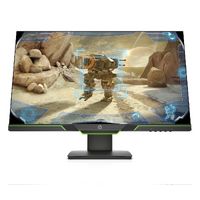
Monitor: HP 27xq Devices and Setup
HP 27xq
Monitor
Headset / Headphones: ROG Delta Devices and Setup
ROG Delta
Headset / Headphones
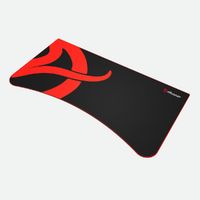
Mousepad: Arozzi Arena Mouse Pad Devices and Setup
Arozzi Arena Mouse Pad
Mousepad

What keyboard does Kiva have?

He rocks Razer Huntsman Quartz Keyboard, famous for its super speedy Opto-Mechanical switches, making it perfect. This keyboard is built to last, handling up to 100 million keystrokes. Plus, with its customizable Chroma RGB lighting, it fits his style like a glove. Level up your setup with the Razer Huntsman Quartz Keyboard!

What monitor does Kiva use?

Our guy totally loves HP 27xq Monitor. It’s got a 2560 x 1440 resolution, so you'll get super clear visuals. The 144Hz refresh rate keeps everything running smoothly, which is awesome. Get into your streaming groove with the HP 27xq Monitor, just like Brent.

What mouse does Kiva use?

He's been rocking Razer Naga Mouse for three years, and it's a go-to for streamers. The 12-button thumb grid lets you customize like crazy, perfect for all your commands. It's comfy too, fitting medium to large hands and all kinds of grip styles. Razer Naga keeps things smooth and comfy during those long streaming marathons.

What headphones does Kiva use?

For the past two years, Brent has been rocking ROG Delta Headphones. These bad boys come with hi-fi-grade ESS DAC tech, giving you super clear audio. They're also super light at just 300 grams and have comfy D-shaped ear cushions. Go with ROG Delta if you want top-notch quality and comfort.

What microphone does Kiva use?

Meet the Razer Seiren Pro Microphone—our top pick for streaming in 2023 and 2024. This mic gives you crystal-clear sound, making your voice super professional and engaging.

The Dynamic Microphone captures those rich, warm tones for a broadcast-like vibe. Plus, its built-in Noise Suppression gets rid of background noise, so your audience hears just you.

Go for the Razer Seiren Pro Microphone to boost your streaming game and make your voice pop.
Kiva PC Specs

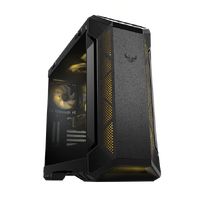
PC Case: ASUS TUF GAMING GT501 Devices and Setup
ASUS TUF GAMING GT501
PC Case
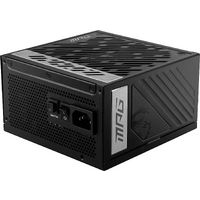
Power Supply: MSI MPG A1000G Devices and Setup
MSI MPG A1000G
Power Supply
Motherboard: Asus B150 Devices and Setup
Asus B150
Motherboard
CPU / Processor: Intel Core i7-10700K Devices and Setup
Intel Core i7-10700K
CPU / Processor
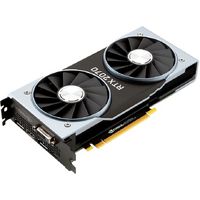
Graphics Card (GPU): NVIDIA GeForce RTX 2070 Devices and Setup
NVIDIA GeForce RTX 2070
Graphics Card (GPU)
Memory (RAM): HyperX Predator Devices and Setup
HyperX Predator
Memory (RAM)
Hard Drive / SSD: Samsung Memorie MZ-V6E250BW Devices and Setup
Samsung Memorie MZ-V6E250BW
Hard Drive / SSD
PC Cooling: Arctic Liquid Freezer Ii 280 Devices and Setup
Arctic Liquid Freezer Ii 280
PC Cooling

Kiva Setup & Streaming

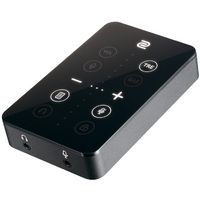
Sound Card: BenQ ZOWIE VITAL Devices and Setup
BenQ ZOWIE VITAL
Sound Card
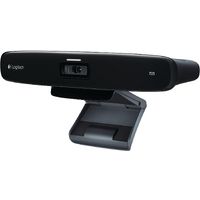
Camera: Logitech TV Cam HD Devices and Setup
Logitech TV Cam HD
Camera
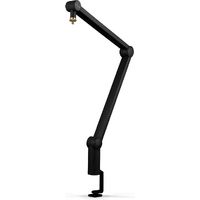
Microphone Arm (Holder): Blue Microphones Compass Devices and Setup
Blue Microphones Compass
Microphone Arm (Holder)
Microphone: Razer Seiren Pro Devices and Setup
Razer Seiren Pro
Microphone
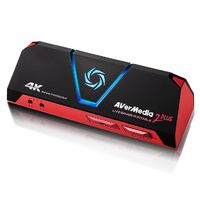
Capture Card: AverMedia Live Gamer Portable 2 Plus GC513 Devices and Setup
AverMedia Live Gamer Portable 2 Plus GC513
Capture Card
Gaming Chair: Noblechairs EPIC NBL-PU-MAP-001 Devices and Setup
Noblechairs EPIC NBL-PU-MAP-001
Gaming Chair
Controller: Thrustmaster T248 Devices and Setup
Thrustmaster T248
Controller

Kiva Video Settings

Video
Resolution 1920x1080
Aspect Ratio 16:9
Scaling Mode Native
Color Mode Computer Monitor
Brightness 105%
Display Mode Fullscreen
Display
Digital Vibrance 50%
Picture Mode Standard
Color Temperature User Define