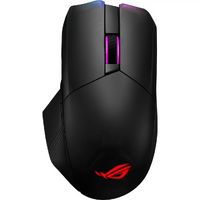


What mouse does nylahwhiskers use?
She uses the ASUS ROG Chakram Mouse. Note: As of 2024, she is banned on Twitch, so we cannot provide updated information.
What keyboard does nylahwhiskers have?
In 2023, our girl uses the Ducky One White Keyboard, a popular choice among female streamers. Its minimalist design with a narrow bezel provides a clean look for any setup. The keyboard offers a high-quality typing experience with durable keycaps and reliable mechanical switches. Additionally, its adjustable stand ensures comfort during long streaming sessions.
What monitor does nylahwhiskers use?
She uses the ASUS ROG Swift PG32UQ Monitor to enhance her streaming setup. This monitor features a 4K UHD resolution and a 144Hz refresh rate, providing an immersive gaming experience. With NVIDIA G-SYNC and AMD FreeSync support, it eliminates screen tearing for smooth performance. Its low input lag and quick response times make it ideal for competitive gaming and streaming.
What headphones does nylahwhiskers use?
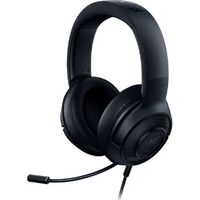
She uses Razer Kraken Headphones for her gaming streams and ASMR sessions. These headphones are known for their exceptional comfort and high-quality design.
The Razer Kraken features cooling gel-infused ear cushions, making them comfortable for long gaming sessions. The noise-cancelling microphone ensures clear communication, which is essential for engaging streams. Additionally, the Kraken Kitty edition offers extensive RGB lighting customization through Razer's Chroma system, allowing Nylahwhiskers to create a unique and personalized aesthetic.
What pc does nylahwhiskers use?
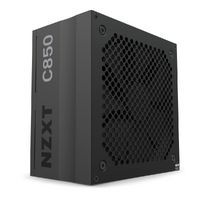
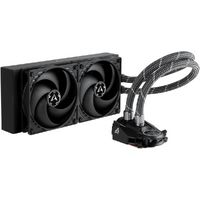
For her powerful PC setup, Nylahwhiskers relies on premium components. She has the sleek Phanteks Eclipse P500A DRGB case and the reliable NZXT C850 power supply. Her system runs on an MSI MPG X570 Gaming Edge WIFI motherboard, paired with an Intel Core i7-6800K processor and a NVIDIA GeForce GTX 660 GPU, delivering smooth performance. The Corsair DDR4 RAM and Kingston UV500 SSD provide fast and efficient storage, while the Arctic Liquid Freezer 240 keeps everything cool.