s1mple

s1mple Devices & Setup

  • Collected from Open Sources
Followers
4 086 247
Views
245 174 820

s1mple Gear

Mouse: Logitech G Pro Wireless Devices and Setup
Logitech G Pro Wireless
Mouse
✅ Verified by Streamersbase
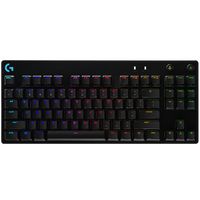
Keyboard: Logitech G Pro X GX Clicky Devices and Setup
Logitech G Pro X GX Clicky
Keyboard
✅ Verified by Streamersbase
Headset / Headphones: Logitech G PRO X Devices and Setup
Logitech G PRO X
Headset / Headphones
✅ Verified by Streamersbase
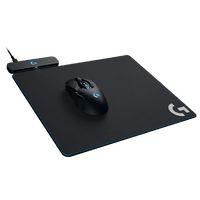
Mousepad: Logitech G Powerplay Devices and Setup
Logitech G Powerplay
Mousepad
✅ Verified by Streamersbase

What mouse does s1mple use?

Legendary ex-Counter-Strike player, known as Oleksandr Kostylev, is all about using the Logitech G Pro Wireless Mouse, rocking a setting of 400 DPI and 3.09 sensitivity. Trust me, this isn't just a rumor - plenty of sources back it up!

What mousepad does s1mple use?

As of December 2021, Kostyliev uses the Logitech G Powerplay Mousepad or possibly Esports Tiger pads. However, this might have changed.

What headset does s1mple use?

Oleksandr Kostyliev, you know, that famous gamer, totally digs the Logitech G PRO X headset. It's not just me saying it - places like Streamersbase, GMRPC, and Dot Esports are all over it. Basically, if you're wondering what ex-Navi's rocking for sound, it's the Logitech G PRO X .

What keyboard does s1mple use?

Oleksandr is totally rocking the Logitech G Pro X GX Clicky Keyboard. A bunch of places say so, like Streamersbase.com , Setup.gg.

What monitor does s1mple use?

He's using the BenQ ZOWIE XL2566K gaming monitor, which is pretty snazzy with its super quick 360Hz refresh rate. When it comes down to his fave settings, he goes for fullscreen display mode, a resolution of 1280x960, a 4:3 aspect ratio, a 240Hz refresh rate, and stretched scaling. Oh, and he cranks up the brightness to a whopping 130%.

s1mple PC Specs

PC Case: be quiet! Dark Base 700 Devices and Setup
be quiet! Dark Base 700
PC Case
Power Supply: Sharkoon silentstorm 750w Devices and Setup
Sharkoon silentstorm 750w
Power Supply
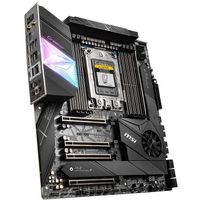
Motherboard: MSI Creator TRX40 Devices and Setup
MSI Creator TRX40
Motherboard
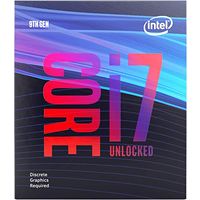
CPU / Processor: Intel Core i7-9700KF Devices and Setup
Intel Core i7-9700KF
CPU / Processor
Graphics Card (GPU): NVIDIA GeForce RTX 4090 Devices and Setup
NVIDIA GeForce RTX 4090
Graphics Card (GPU)
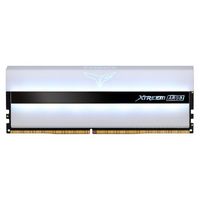
Memory (RAM): Team T-Force Xtreem ARGB Devices and Setup
Team T-Force Xtreem ARGB
Memory (RAM)
Hard Drive / SSD: WD Black SN750 Devices and Setup
WD Black SN750
Hard Drive / SSD
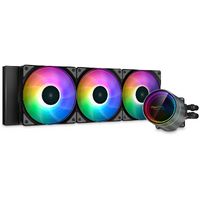
PC Cooling: CASTLE 360EX A-RGB Devices and Setup
CASTLE 360EX A-RGB
PC Cooling

s1mple Setup & Streaming

Sound Card: Focusrite Scarlett 2i2 Devices and Setup
Focusrite Scarlett 2i2
Sound Card
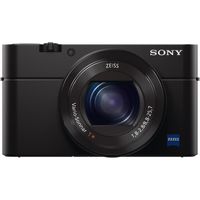
Camera: Sony DSC-RX100M4 Devices and Setup
Sony DSC-RX100M4
Camera
Microphone Arm (Holder): Rode PSA1 Devices and Setup
Rode PSA1
Microphone Arm (Holder)
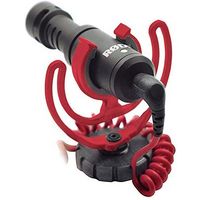
Microphone: Rode VideoMicro Devices and Setup
Rode VideoMicro
Microphone
Capture Card: Elgato HD60 PRO Devices and Setup
Elgato HD60 PRO
Capture Card
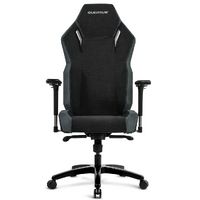
Gaming Chair: QUERSUS Vaos 505 XT Devices and Setup
QUERSUS Vaos 505 XT
Gaming Chair
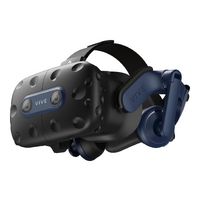
Controller: HTC VIVE PRO 2 Devices and Setup
HTC VIVE PRO 2
Controller

s1mple Video Settings

Video
Resolution 1920x1080
Aspect Ratio 16:9
Scaling Mode Native
Color Mode Computer Monitor
Brightness 105%
Display Mode Fullscreen
Display
Digital Vibrance 50%
Picture Mode Standard
Color Temperature User Define