


What chair does MOONMOON use?
In 2024, he got himself the DX Racer 1 Gaming Chair, which is super comfy and stylish. This ergonomic chair gives awesome support, keeping him on top of his game. Before this, Jesse was rocking the famous Herman Miller Embody chair.
The Herman Miller Embody is known for its killer ergonomic design, with a breathable backrest, adjustable seat depth, and a "pixelated" support system that moves with you. Gamers love it for its top-notch comfort and support, making it a favorite in the gaming world.
What headphones does MOONMOON use?
In 2024, he’s rocking the Beyerdynamic DT 1990 headphones for his gaming setup. Before that, Jesse was all about the Sennheiser HD 650 headphones. MOONMOON has pointed out that he used Sennheiser headphones in the past, making it clear he meant headphones, not a headset.
What keyboard does MOONMOON use?
In 2024, Jesse rocks the SteelSeries Apex keyboard. Before that, he had a custom mechanical keyboard that he made with Taeha Types, a famous keyboard enthusiast and builder. This custom keyboard has a cool antique red-gray finish, probably inspired by an outdoorsy or camping vibe. It uses BOX White switches, which are known for their clicky and tactile feedback. While we don't have all the details, MOONMOON's keyboard is a one-of-a-kind creation made just for him and designed to fit perfectly with his gaming setup.
What mouse does MOONMOON use?
In 2024, our guy is rocking the Roccat Kone Pro mouse. Before that, he was all about the Logitech G502 Hero gaming mouse.
The Logitech G502 Hero is a wired mouse with a Hero 25K sensor, giving you a DPI range of 100 - 25,600, which you can tweak using the Logitech G Hub software. It's got 11 programmable buttons, adjustable polling rates from 125Hz to 1000Hz, and comes with five removable 3.6g weights so you can customize it just the way you like.
What Camera does MOONMOON use?
In 2024, Jesse picked the Canon EOS RP as his go-to camera for streaming. This wasn't a quick decision; the EOS RP is loaded with features that make it awesome for IRL (In Real Life) streaming and vlogging.
Picture this: you're setting up for a live stream and need super clear audio and video. The Canon EOS RP has your back with its microphone input and headphone output, so you can use an external mic for great sound quality and monitor your audio in real-time.
And there's more. The camera can output a clean 1080p60 HDMI signal, making your stream look top-notch. If you want the best quality, you'll need an HDMI capture card since the USB webcam feature is limited to 720p.
What really makes the EOS RP stand out is its full-frame sensor, giving you amazing image quality that catches every detail. The flip-out touchscreen LCD is a lifesaver for vlogging and streaming, letting you frame your shots perfectly.
With the Canon EOS RP, MOONMOON isn't just streaming; he's creating an immersive experience that keeps his audience hooked.
What Microphone does MOONMOON use?
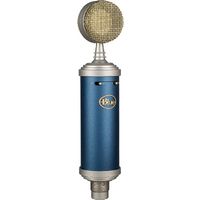
In 2024, Jesse rocks the Blue Bluebird XLR mic for his streaming setup. Before that, he was using the Audio-Technica AT2020USB+ mic.
The AT2020USB+ is a hit among streamers because it's a plug-and-play condenser mic. It’s got a tough metal body and covers a frequency range of 20 - 20,000Hz with a 100 Ohm impedance. The cardioid polar pattern helps cut out background noise, making your audio super clear.
What PC does MOONMOON use?
In 2024, Jesse has put together the ultimate PC setup, designed for top performance and reliability. The centerpiece of this awesome rig is the sleek Corsair iCUE 5000X PC case, which not only looks amazing but also provides great airflow to keep things cool during those intense gaming sessions.
Powering this beast is the CORSAIR HX1000 power supply, known for its efficiency and reliability, making sure every part gets the juice it needs. The Gigabyte Z590 motherboard offers solid connectivity and support for the latest hardware, making it a perfect base for his rig.
For processing power, Jesse counts on the AMD Ryzen 7 PRO 3700 CPU, which handles multitasking and gaming like a champ. Paired with the NVIDIA GeForce RTX 2080 Ti graphics card, his setup delivers stunning visuals and smooth gameplay, making every gaming session unforgettable.
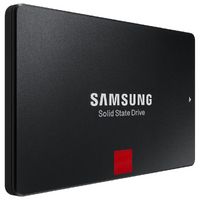
Memory is key for smooth performance, and the SPECTRIX D41 DDR4 RAM ensures that the PC runs without a hitch, even with multiple apps open. Storage is no slouch either, with the Samsung 860 PRO SSD providing super-fast load times and plenty of space for all his games and content.
To keep everything cool and running smoothly, the Cooler Pcyes Zero Kz1 is on the job, a top-notch cooling solution that ensures the system stays at the right temperatures.
Stay tuned as we reveal what Jesse's old PC setup looked like, but for now, this 2024 rig is the pinnacle of gaming greatness.